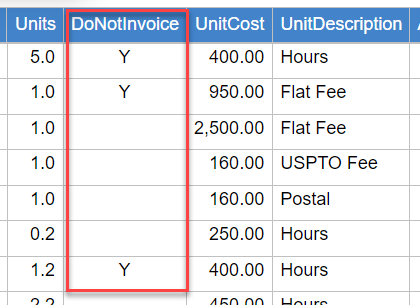
Billing Items can be excluded from invoices for any reason. This is especially useful when matters are not invoiced until the entire work is done, yet the billing items are recorded along the way.
A setting is now available that allows you to prevent recently added billing items from being automatically included in invoices that are currently in the review process. To activate this setting, go the the Account Settings page > Billing tab, and check the following box

Exclude an Individual Billing Item
- Hover over the Billing module and select Billing Items.
- Select the Billing Item you wish to work with.

- Click the Do not invoice this item checkbox.
- Click the Save button.

Exclude Multiple Billing Items
- Hover over the Billing module and select Billing Items.
- Select the Billing Items you wish to exclude.
- Click the Disable Invoicing of Items button.

Note that Items can be re-enabled for invoicing by following the steps above and clicking the Enable Invoicing of Items button.
You can easily see which items are marked as 'DoNotInvoice' by including the column with the same name. You can also filter for these items to see which ones are marked as such.